

Using a code assistant in Code Studios: GitHub Copilot#
This tutorial teaches you how to add the GitHub Copilot assistant to help you write code. You can start by creating your first Code Studio. We will guide you through the needed steps to empower your Code Studio with this assistant.
Prerequisites#
Dataiku >= 14.3
Administrator privileges for your user profile.
GitHub Copilot credentials
Adding GitHub Copilot to a Code Studio#
Creating a Code Studio Template#
In your Dataiku instance, choose Administration from the Applications menu.
Navigate to the Code Studios tab.
Select + Create Code Studio Template.
Type a name for your template, such as
copilot-template, and then select Create.
Adding the Visual Studio Code block#
Navigate to the Definition tab, where you select the blocks you want to use in your Code Studio.
You may use an Add Code Environment block to choose a precise Code Environment.
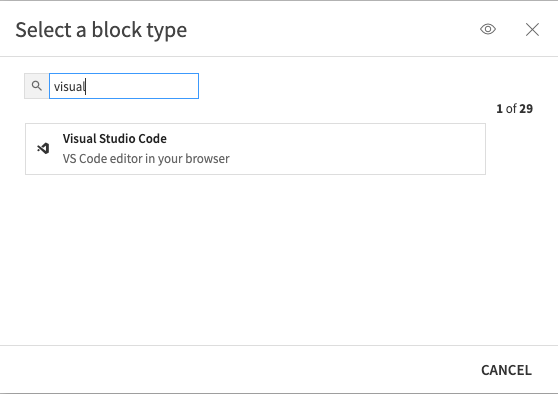
Use the + Add a Block and select the Visual Studio Code block.
Installing GitHub Copilot#
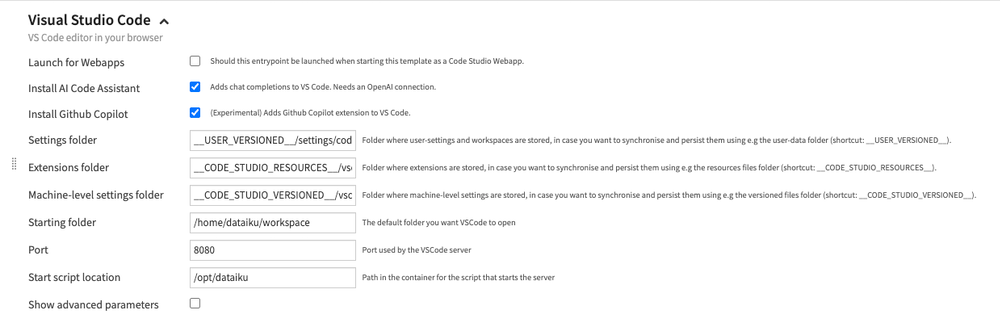
To install the GitHub Copilot extension, you need to check the option in the Visual Studio Code options.
Building the template#
You can now build your Code Studio image to use it. To do so, use the Build button. If you need more details on Code Studio Template, refer to the tutorial My first Code Studio.
Using GitHub Copilot in your Code Studio#
Use the Code Studios from the Code menu to create and launch your Code Studio based on the image and template you defined. If you need detailed steps, the Launching your first Code Studio documentation will guide you.
Signing in to GitHub Copilot#
To start using GitHub Copilot, you need to sign in. To do so, look at the bottom of the Visual Studio Code for the Copilot avatar and click on it.
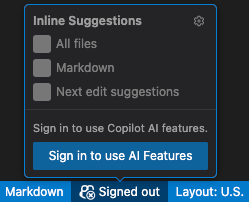
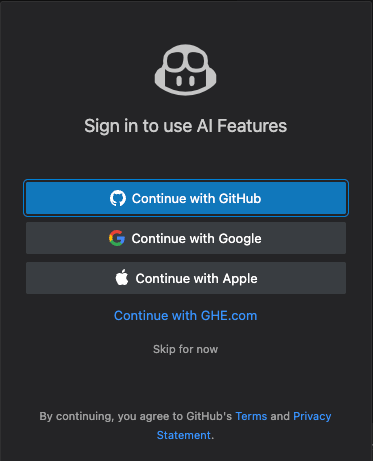
When you click the sign-in button, a window will let you choose your authentication method.
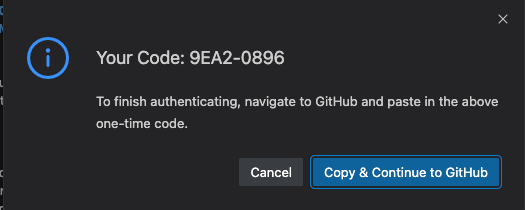
To finish authenticating, you will need to copy a code to a GitHub page. Just use the Copy & Continue to GitHub button.
Using GitHub Copilot#
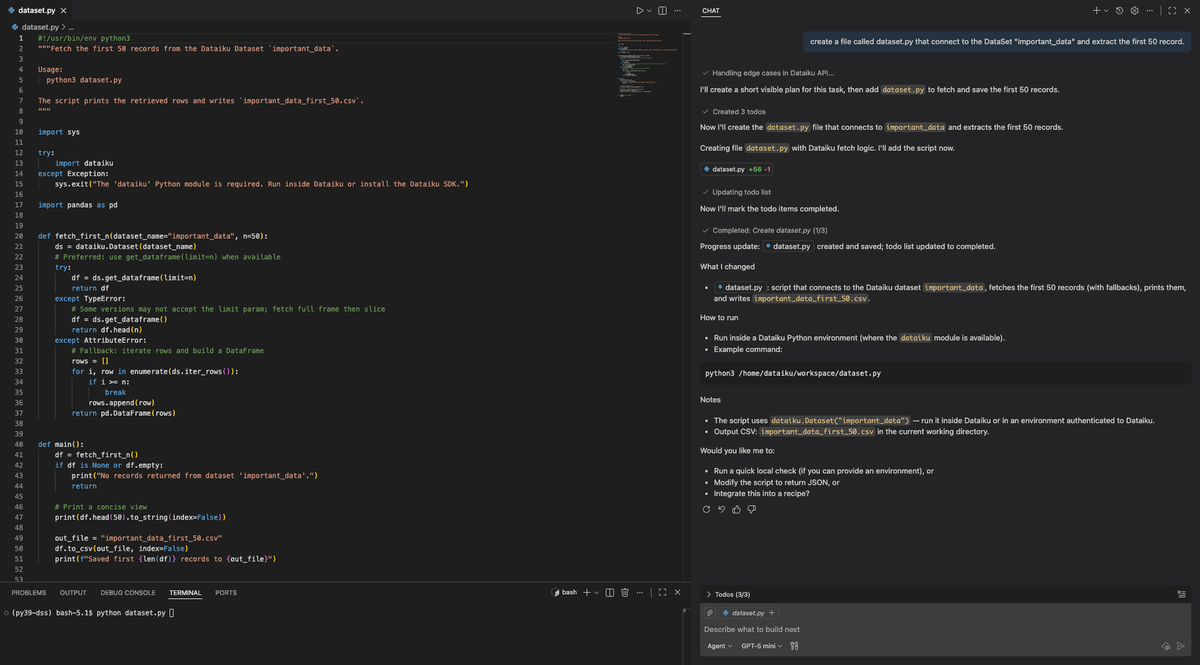
At this point, your Code Studio is fully operational, and you can start using your environment to code with the assistance of all the features in GitHub Copilot. You can find additional information on the usages of Code Studios in edit your code or in edit your Code Agent.
Wrapping up/Conclusion#
Congratulations, you’ve learned how to set up and launch a Code Studio in Dataiku that provides access to GitHub Copilot.